Routing along a Surface | ||||||
|
| |||||
Route on the Robot XY Plane
You can route on the robot XY plane.
Click Rigid Route
 in the Compass Toolbar.
The 3D Part / Product DS dialog box appears.
Select Route Along Surface
 > Robot Base
 in the balloon.
Click at the location you want to start routing using the coordinates.
The Z coordinate value is 0 which indicates the first node is created on the robot base surface.
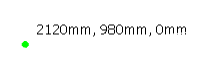
Note: You can drag the robot on a surface to define this surface as robot base.
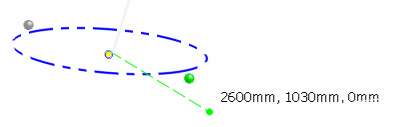
Click at another location to create the pipe.
A straight green line shows the projection of the pipe.

Route along a Surface
You can route along a surface.
Click Rigid Route
in the Compass Toolbar.
The 3D Part / Product DS dialog box appears.
Select Route Along Surface
> Surface  in the balloon.
Click on the surface you want to create the pipe.
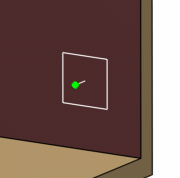
Optional: Click Center Offset Point
 in the balloon to apply the offset from the center of the pipe
.
in the balloon to apply the offset from the center of the pipe
. Note: If you select the Bottom Offset Point
 option then the distance is measured from the
XY plane to the bottom of the pipe.
option then the distance is measured from the
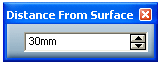
XY plane to the bottom of the pipe. Optional: Click Surface Distance
 to set the offset distance.
The Distance From Surface dialog box appears.
Continue clicking along the surface to route the pipe.
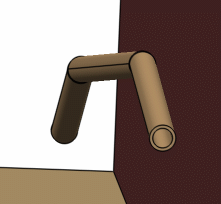
The pipe is created along the surface according to the offset settings.
Click Exit and Activate Parent
 to validate and exit the command.
Note: To route along a surface, you can also activate an existing pipe and use the Route Along Surface option.