Assigning Port Attribute Values | |||||
|
| ||||
Click Port Attributes
 in the Technological Behavior toolbar.
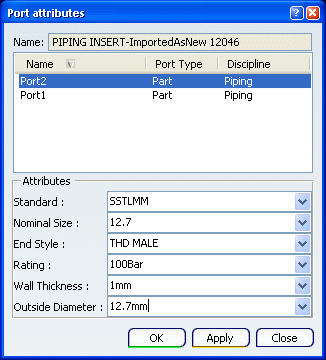
The Define Port Specs dialog box appears. Even though this is a newly created port, the dialog box displays values. This is because the port derives attribute values from the part on which it is created.
| Tips:
If you change the attribute value of a port (of the type string) then the corresponding attribute value on the part will also change. To see the change, click Build Part, and the Build Part dialog box will display the part attribute values. If a part has two ports, with two different values, then both will display, as you can see below for the attributes end style and nominal size. |