Double-click the 3D shape representation or a
About Electrical Devices in the specification tree.
The workbench switches to Electrical Part Design.
Click Shell
 or
select Insert > Device Behavior > Shell...
or
select Insert > Device Behavior > Shell...
The standard 3D shape is automatically detected.
The Shell Definition dialog box opens:
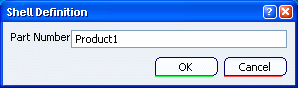
Specify a Name, for example Shell.
Click OK to validate.
The selected part is now an electrical shell.