Inserting Libraries | |||
| |||
Select an element of the logic and click New Library
 in the Module Management toolbar.
The dialog box Position appears.
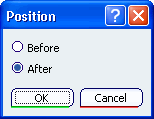
Select Before and click OK. The dialog box Library Definition appears.
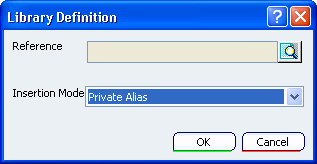
- Reference contains the library name. By default, the name of the last library used is pre-selected.
- Insertion Mode allows you to define the visibility and the accessibility of the library elements in the current representation.
Click Search a Library
 .
The dialog box Object Selection appears.
.
The dialog box Object Selection appears.The Object Selection dialog box appears.
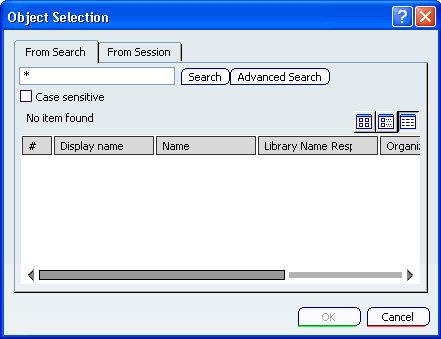
- From Search allows you to find the library from its name.
- From Session allows you to retrieve all the libraries already loaded in session.
Only Behavior Library References with the discipline Behavior_Discrete are searched.
Enter a filter expression and click Search.
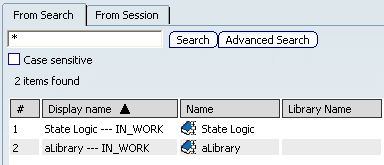
Select a library and click OK.
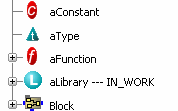
The library is added above the selected element.
To change the library properties, do one of the following:
- Double-click the library in the specification tree.
- Select Definition in its contextual menu.
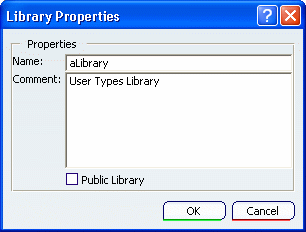
The Library Properties dialog box appears:
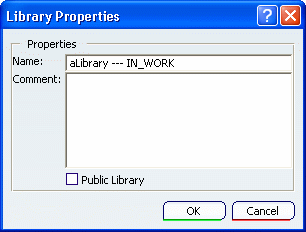
If needed, change the library name and add a comment. You can also change its visibility (see Accessing Library Components ).