Adjusting Design Layout | |||
| |||
Move in Same Direction
You can adjust the layout of a network by moving a part in one direction.
Click Modify
 in the Compass Toolbar.
Select Manipulate
 > Adjust
  >
Adjust Same Direction
>
Adjust Same Direction  in the balloon.
The robot places on the part.
Drag along the vertical direction and drop it at the required distance.
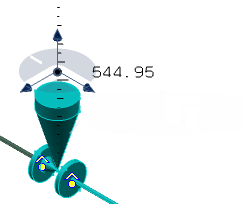
Click Commit
 .
.The selected part is moved by the selected distance. The affected layout is highlighted in red color.
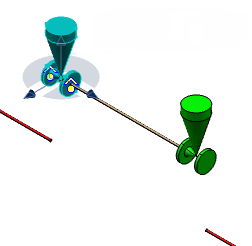
Click Update all
 .
.
The layout is updated.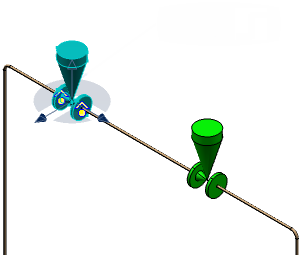
Note: If the distance between the two parts becomes lesser than half of the minimum straight distance, then the pipe between the parts is removed and parts are connected together.

Orient with New Corner
You can adjust the layout by orienting new corners.
Click Modify
in the Compass Toolbar.Click Manipulate
> Adjust >
Adjust by Making New Corner at New Location  in the balloon.
The robot places on the part.
Drag along the X-direction and drop it at the required distance.
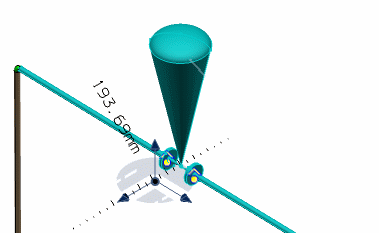
Click Commit
.The selected part is moved by the selected distance. The affected layout is highlighted in red color.
Click Update all
.
New corners are formed. The layout is updated.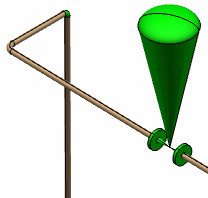
Modify with New Corner
You can adjust the layout by creating new corners at the minimum straight distance.
Click Modify
in the Compass Toolbar.Click Manipulate
> Adjust >
Adjust by Making New Corner at Minimum Straight Distance  in the balloon.
The robot places on the part.
Drag along the X-direction and drop it at the required distance.
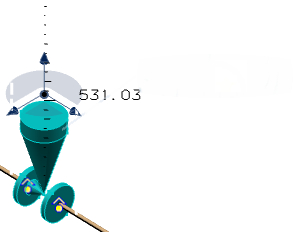
Click Commit
.The selected part is moved by the selected distance. The affected layout is highlighted in red color.
Click Update all
.
New corners are formed. The layout is updated.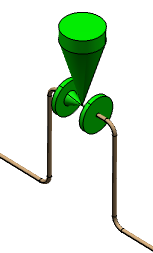
Note:
- The Adjust by Making New Corner at Minimum Straight Distance and Adjust by Making New Corner at New Location options are available for piping parts only.
- You cannot select an equipment, a flexible pipe or a support to move when adjusting the network layout.