About Balloons | ||||
|
| |||
Initially the balloon is displayed in an unobtrusive low-light mode, but it becomes more visible when you move the pointer over it. 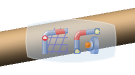
Note: The balloon is temporarily hidden when you manipulate the Robot.
To change an option, just pause over it and select a new option from the vertical balloon that appears. When you pause over an option, it is highlighted. Thus you can identify the selected option.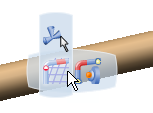
To move the balloon out of the way and improve the view of your geometry, select the balloon and drag it to a new location.