Defining Types | |||
| |||
Redefine an Existing Type (Alias)
You can redefine an existing type.
Click New Type
 and select an element of the logic tree.
The Type Properties dialog box appears:
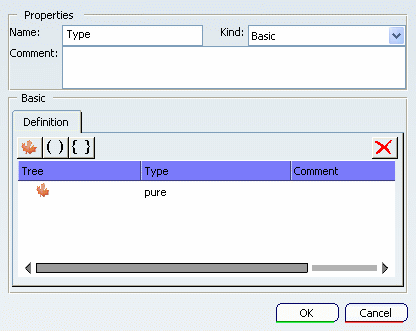
Change the type name. If needed, add a comment.

Click Pure.
The list of all pre-defined types is available. If some user-defined types are defined, they are also available in the list.
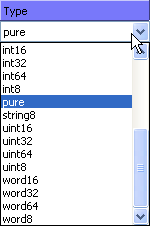
Note: The user-defined types are available only if they are defined in the scope of the new type, that is to say above the new type in the specification tree.
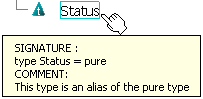
Scroll over Status in the specification tree to see its signature.

Define a Structured Data Type
You can define a structured data type using structures and tuples.
- A tuple is an ordered list of elements. The elements are accessed by their position.
- A structure is a set of labeled elements. There is no significant order in a structure (unlike in tuples), elements being accessed by their names.
Click New Type
and select the logic root.The Type Properties dialog box appears:
Change the type name. If needed, add a comment.
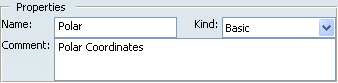
Click Add Element
 . This action creates a
structure with a child having a default name. The name can be changed
by clicking it and editing the field.
. This action creates a
structure with a child having a default name. The name can be changed
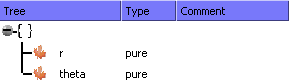
by clicking it and editing the field.Change the default names as defined below:
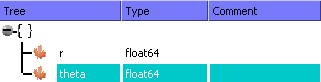
To change the type of the structure elements, drop-down the combo-box. Select float64 in the type list:
If needed, add a comment to the elements structure.
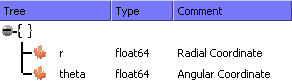
Scroll over Polar in the specification tree to see its signature.

Note: In a structure declaration, elements are separated by a ";" and labels are followed by ":" .
Right-click the root and select Redefine as > Tuple. This command converts the existing structure into tuple.
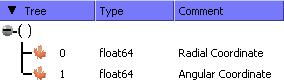
Scroll over Polar in the specification tree to see its signature.
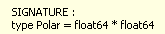
Note: In a tuple declaration, elements are separated by a "*".
Tip:
Structures and tuples can be nested. |
Define an Enum Type
You can define an enum type. An enum type lists the authorized values for a given signal.
Click New Type
and select the logic representation root.Select Enum in the Kind combo box.
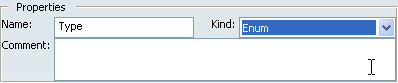
Change the type name and click
 to add a member at the enumeration list.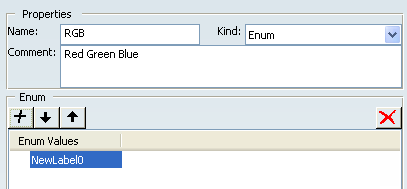
Click
to add other elements.Click
 and/or
 to sort the elements.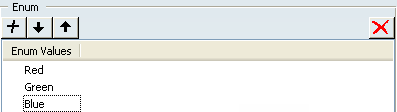
Note: The syntax of the element names must follow the rules of the identifiers (refer to LCM EBNF Grammar).
Click OK.
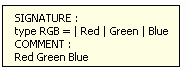
The RGB type appears in the tree.