Using Smart Completion Command | ||
| ||
In the RFLPNav Toolbar, or in the PLM Access > Expand menu, select the RFLP Smart Completion
 .
.
The RFLP Smart Completion
button is highlighted in the RFLPNav Toolbar.
In the RFLP Navigator window, select a logical component inside the Logical tree structure.
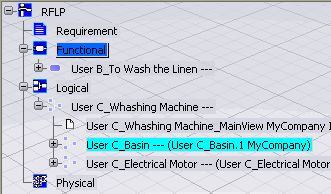
In this example, the functions User B_To Fill the Basin and User B_To Soap are expanded because they are in implement relation with the selected logical component User C_Basin.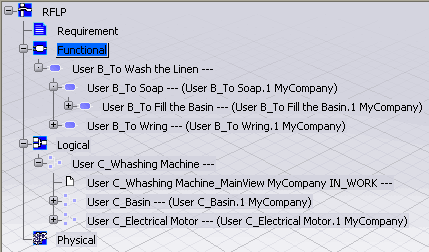
The loaded objects are selected at the end of the command.