Drilling Holes | |||
| |||
Click Compare & Update
 .
.
Note: It is only available in the unfold view. Otherwise a message appears:
The current view is not appropriate for this operation. Would you like to switch to the appriopriate view? Yes / No
If you click No, the command is finished. If you click Yes, the view is switched and the CBD holes are drilled.
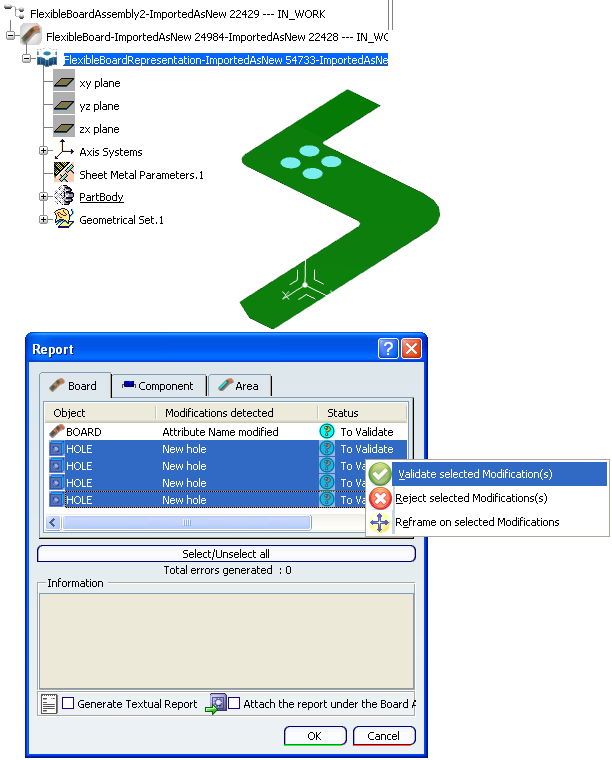
The Report opens, displaying the discrepancy between the flexible board and the hole object in IDF format.
In the Report window, select the holes you want to insert in the flexible board and the contextual command Validate selected modification(s).
And you obtain: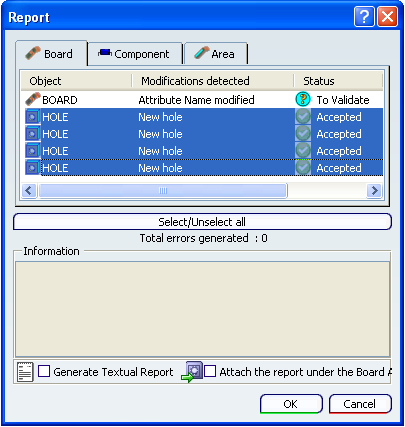
Click OK.
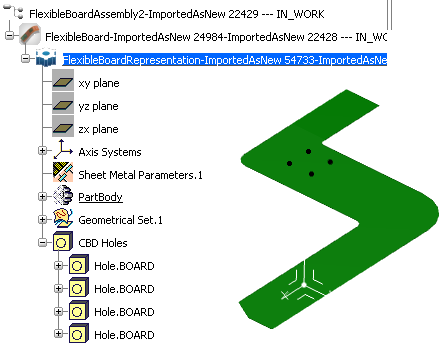
The hole's entities appear in the specification tree. The holes' spots are designed on the flexible board, you can now drill them.Note: If a CBD holes represents several IDF holes, a circular cutout is created. If a CBD hole represents one IDF hole, a hole is created. As the multi-selection of CBD holes is authorized, the result can be a combination of the two.
Select one or several holes and click Drill
 .
.
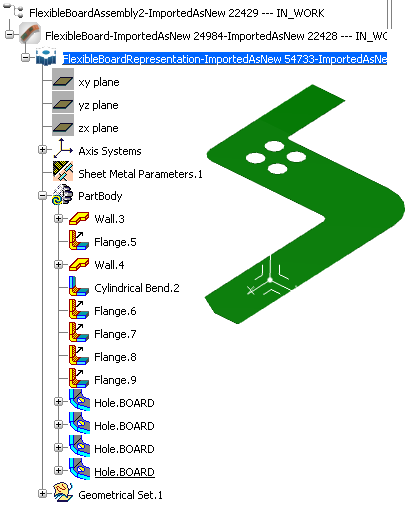
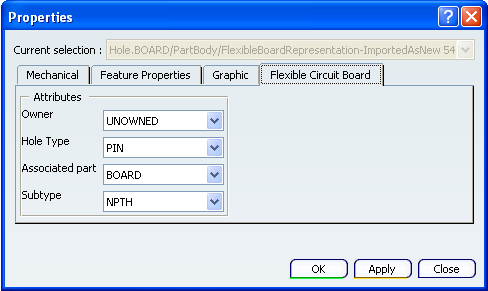
Note: To have access to the properties of the holes or circular cutouts, a Flexible Circuit Board tab is available when you select the Properties contextual command of a hole:
Warning: if the flexible board is moved, the holes will not follow.