Creating State Logic Libraries | ||
| ||
To create a library, do one of the following:
- Click
 and select Automation > Module & Block
Editor for Library .
and select Automation > Module & Block
Editor for Library . - Select PLM Access >
New from the menu bar and select State Logic Behavior.
Tips: - To simplify the search, enter library in the Find field and click
 .
. - Right-click State Logic Behavior to add it to the favorites.
- To simplify the search, enter library in the Find field and click
- Click
You can update the name of the reference and its representation and add a comment.
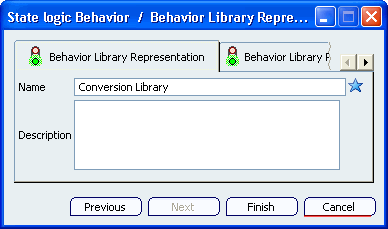
The model of a Behavior Library is an object of the type Behavior Library Reference containing a Behavior Library Representation. The link between the representation and the reference is one-to-one. The Behavior representation contains the root module of the LCM application.Click Finish. The Module & Block Editor for Library workbench is opened. The Behavior Library is created.

You can now add the different elements of the library: types, functions, constants, libraries and blocks.
Note: To retrieve a State Logic Library using the Search box of the Bar, use the type sbl as follows:

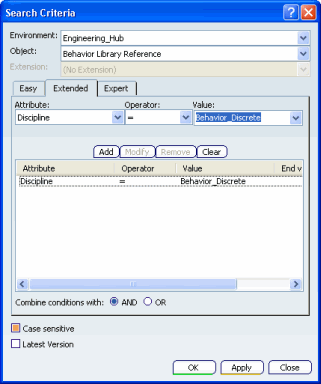
This alias corresponds to the Advanced Search criteria: Object = Behavior Library Reference and Discipline = Behavior_Discrete.